
Press release · October 2026
Tapelark: a tape recorder for everything your Mac plays
Tapelark records music apps, browser tabs, internet radio and podcasts into a library of your own, split into tracks, named and tagged while it records. Free to publish, with images.
Thalwil, Switzerland, October 2026. Tapelark is a new Mac app that does what a cassette recorder did next to the radio: it keeps what you listen to. It records the sound your Mac is already playing, from a music app, a browser tab, an internet radio station or a podcast, and saves it as ordinary audio files in a library of your own. Every song is split, named and tagged while it records. Tapelark is made by Victor Antofica, an independent developer in Switzerland, and is available now for macOS 14.4 and later, with a free 14-day trial.
What is it for?
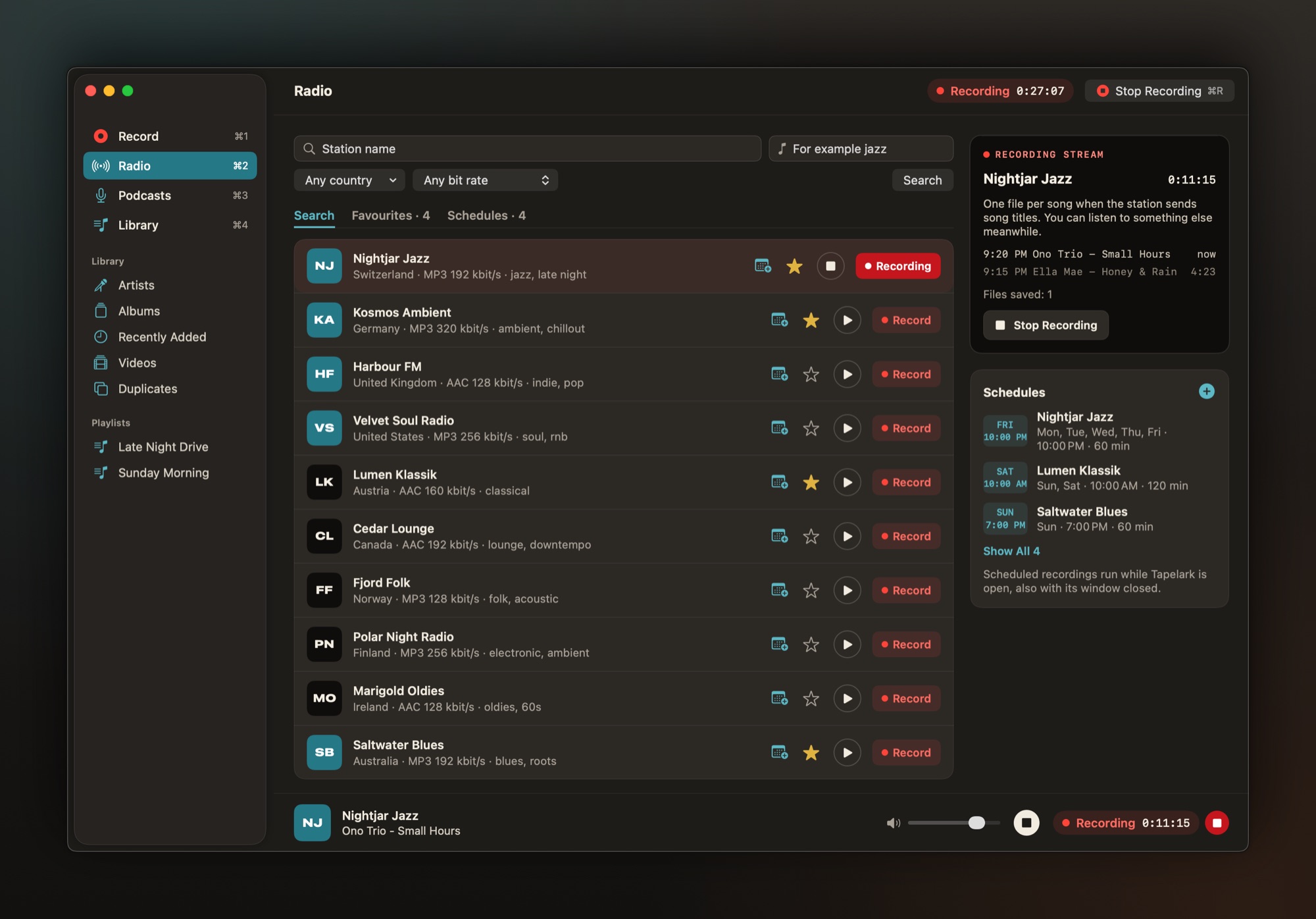
- Keeping the radio. Find a station in a public directory by name, genre, country or bit rate, and Tapelark records the station's own stream, one file per song. The Mac can play something else or stay silent while it records. Shows can be scheduled once or every week, like setting a timer on a tape deck.
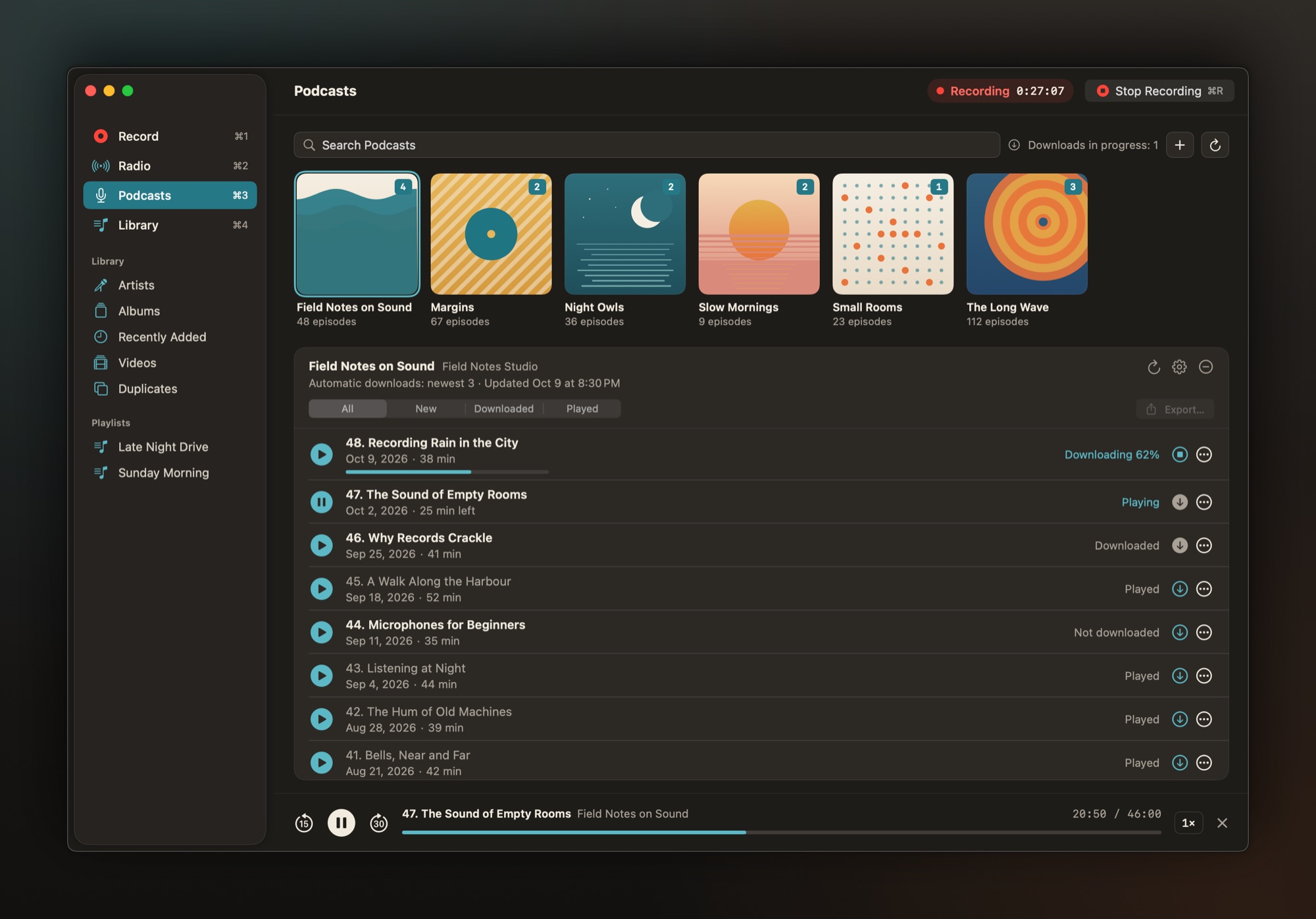
- Keeping podcasts. Subscribe from a directory or by a feed's address, and new episodes download on their own. Play them at any speed, pick up where you left off, and export an episode as a file of your own.
- Recording from any app. A music app, a browser tab, a video player: pick one app, several together, or the whole Mac.
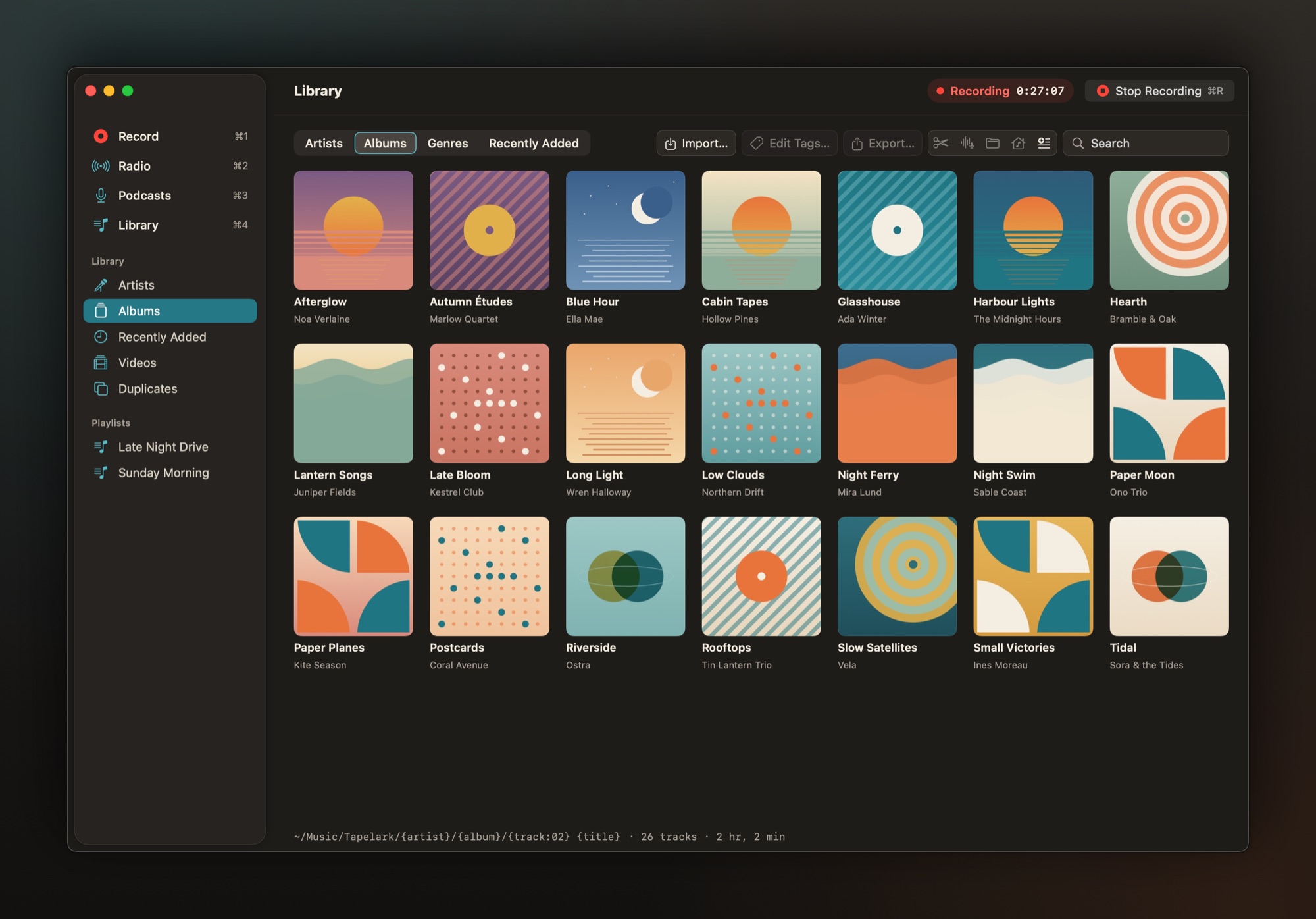
- A library you own. AAC, Apple Lossless, FLAC or WAV, with tags and covers. Browse by artist, album or genre, trim without touching the original, and export to a folder or a USB stick.
- Tapelark Pro adds window video recording with its app's sound, Isolate Voice (keeps the speaking voice and removes music and noise, made for podcasts and talk radio) and Smooth Motion, which makes a 60 fps copy of a video.
Who is it for?
For anyone who used to tape songs off the radio and misses having them. For radio listeners who want a programme they can't hear live, and for podcast listeners who want their episodes as files that stay. Tapelark needs no account and uploads nothing: the recordings stay on the Mac.
What is new about it?
Recording what a Mac plays used to mean one long file, cut and named by hand afterwards. Tapelark does that work while it records: when the player announces a new song, it cuts there and lines the cut up with the silence before it; with no announcement it cuts at a silence, and Split Now starts a new track whenever you like. Each track is saved the moment it ends. Radio is recorded from the station's stream instead of the speakers, so recording never takes over the Mac's sound. Recording, radio, podcasts and the library are one app, using only public macOS features.
Private use
Tapelark is for private use. It uses only public macOS features and never gets around copy protection: protected video shows up black, and Tapelark stops and says why. More about private use.
Facts
- Name: Tapelark; Tapelark Pro adds window video, Isolate Voice and Smooth Motion
- Platform: macOS 14.4 or later, Apple silicon and Intel; the AI features need macOS 15 or later, some macOS 26
- App languages: English and German
- Price: a one-time purchase per major version, for one person and all their Macs; free 14-day trial with every feature. Current prices, including any launch offer: Pricing
- Download: tapelark.com/download
- Developer: Victor Antofica, Thalwil, Switzerland. About
- Press contact: support@tapelark.com
Images
Free to publish with an article about Tapelark. Click an image for full size, or download them all as one ZIP file: tapelark-press-images.zip.
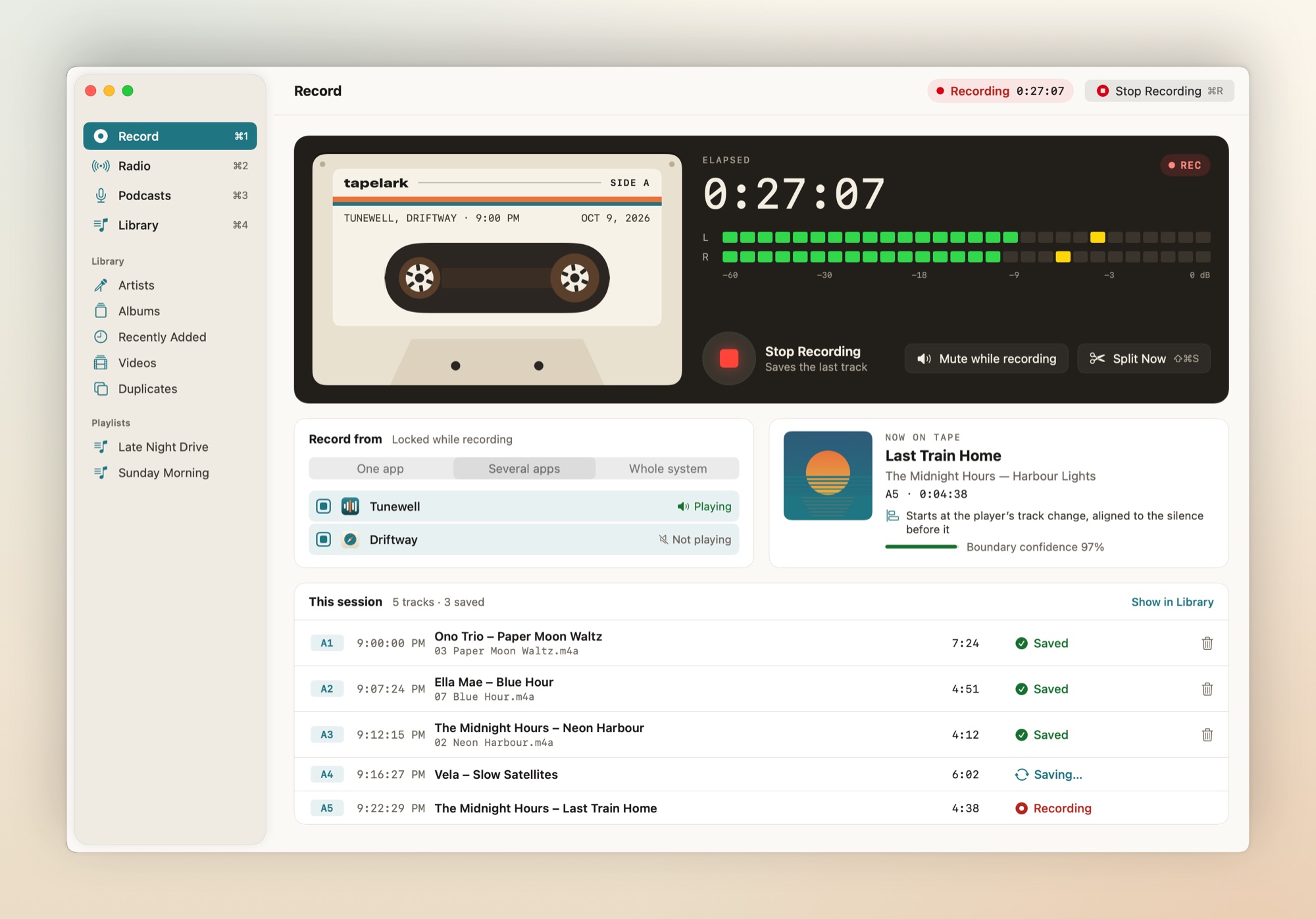
RecordingJPEG, also dark
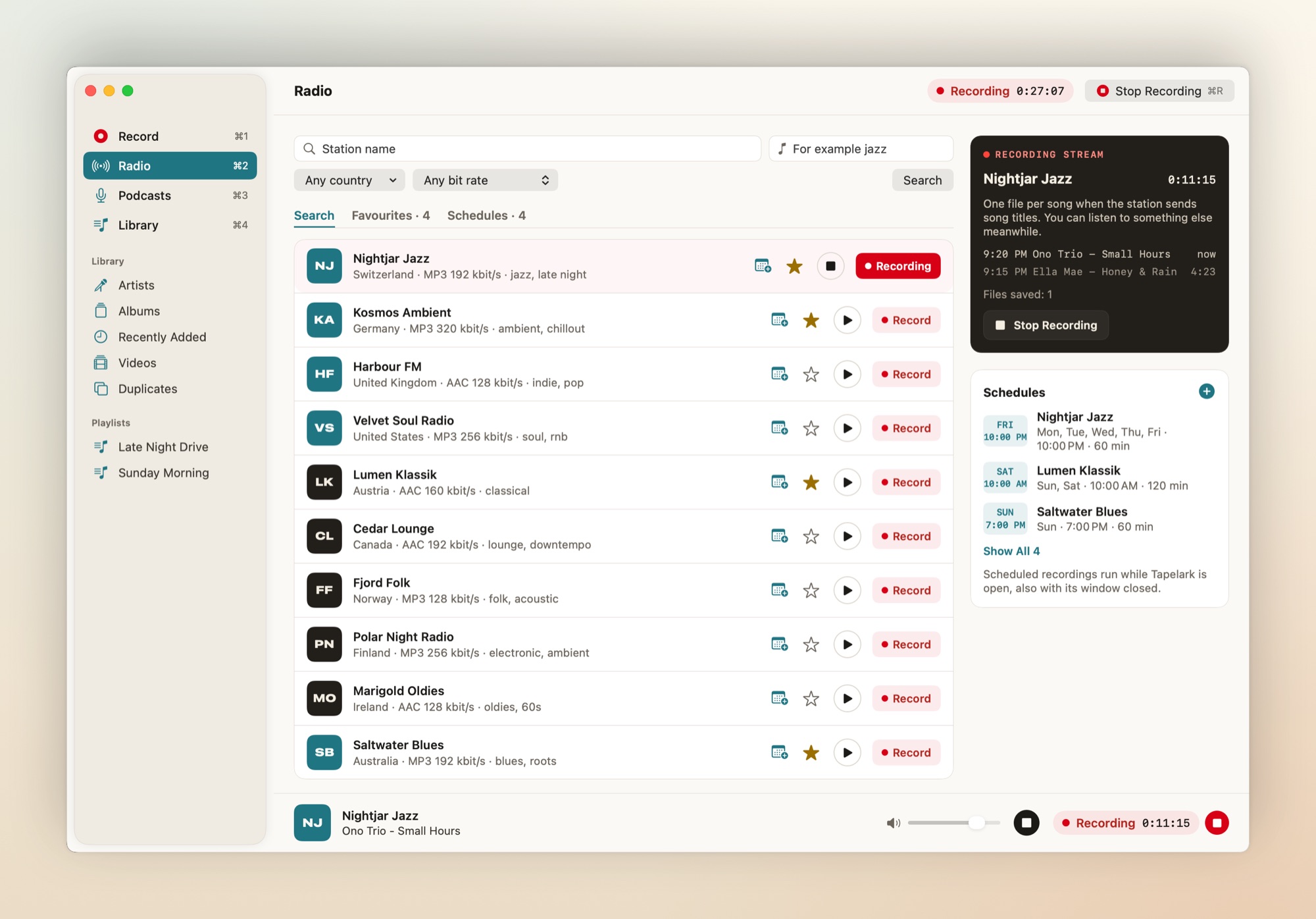
RadioJPEG, also dark
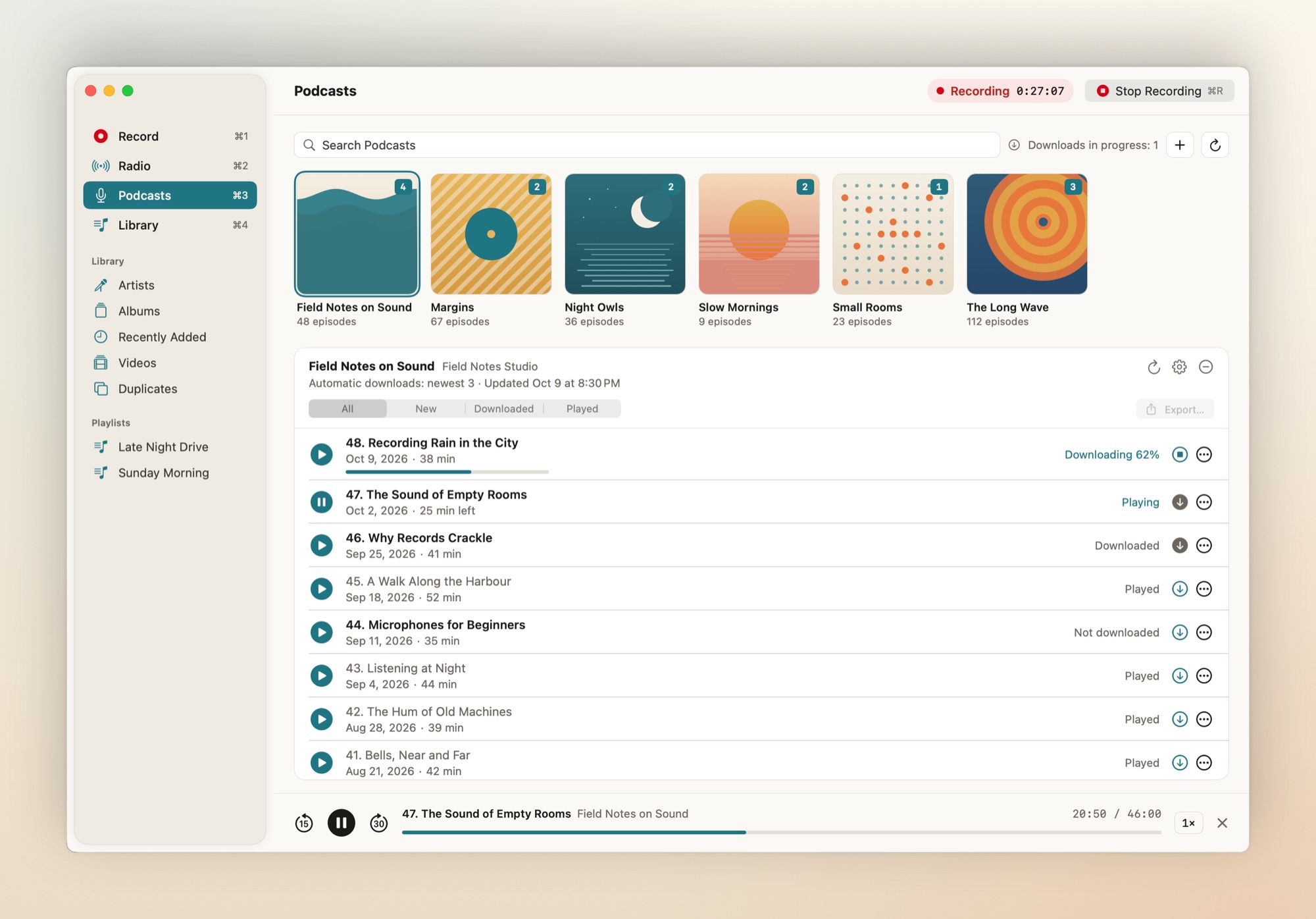
PodcastsJPEG, also dark
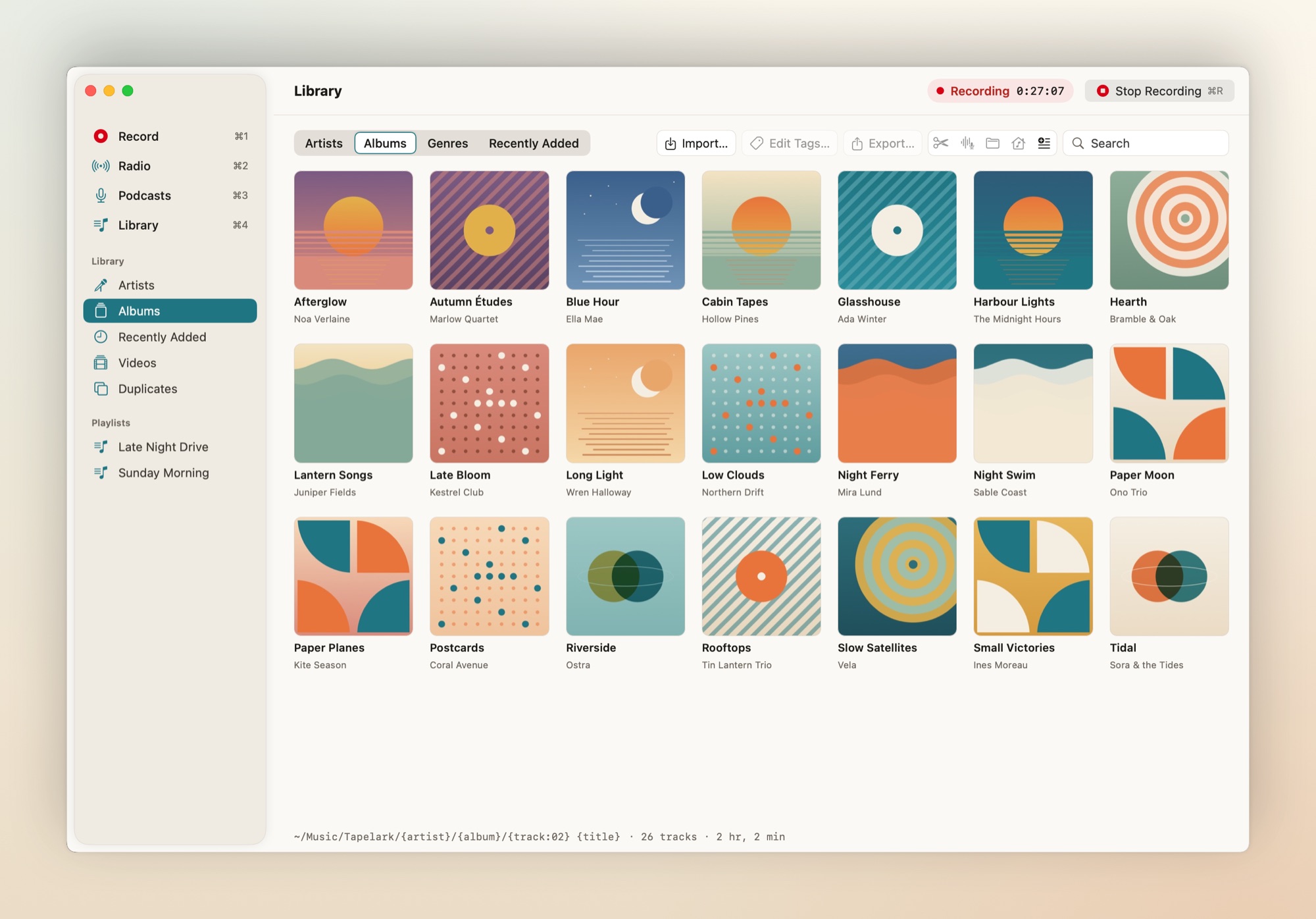
LibraryJPEG, also dark
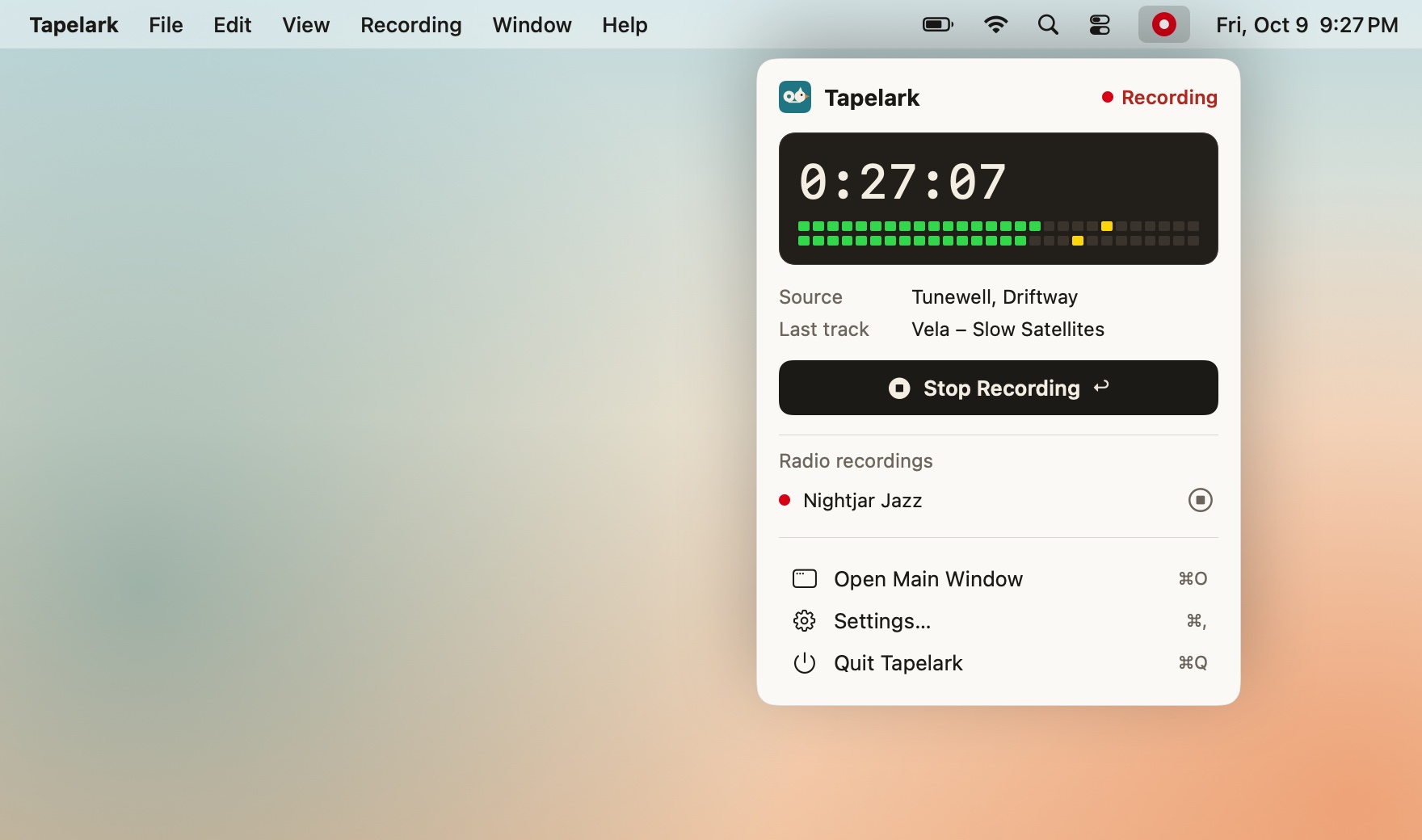
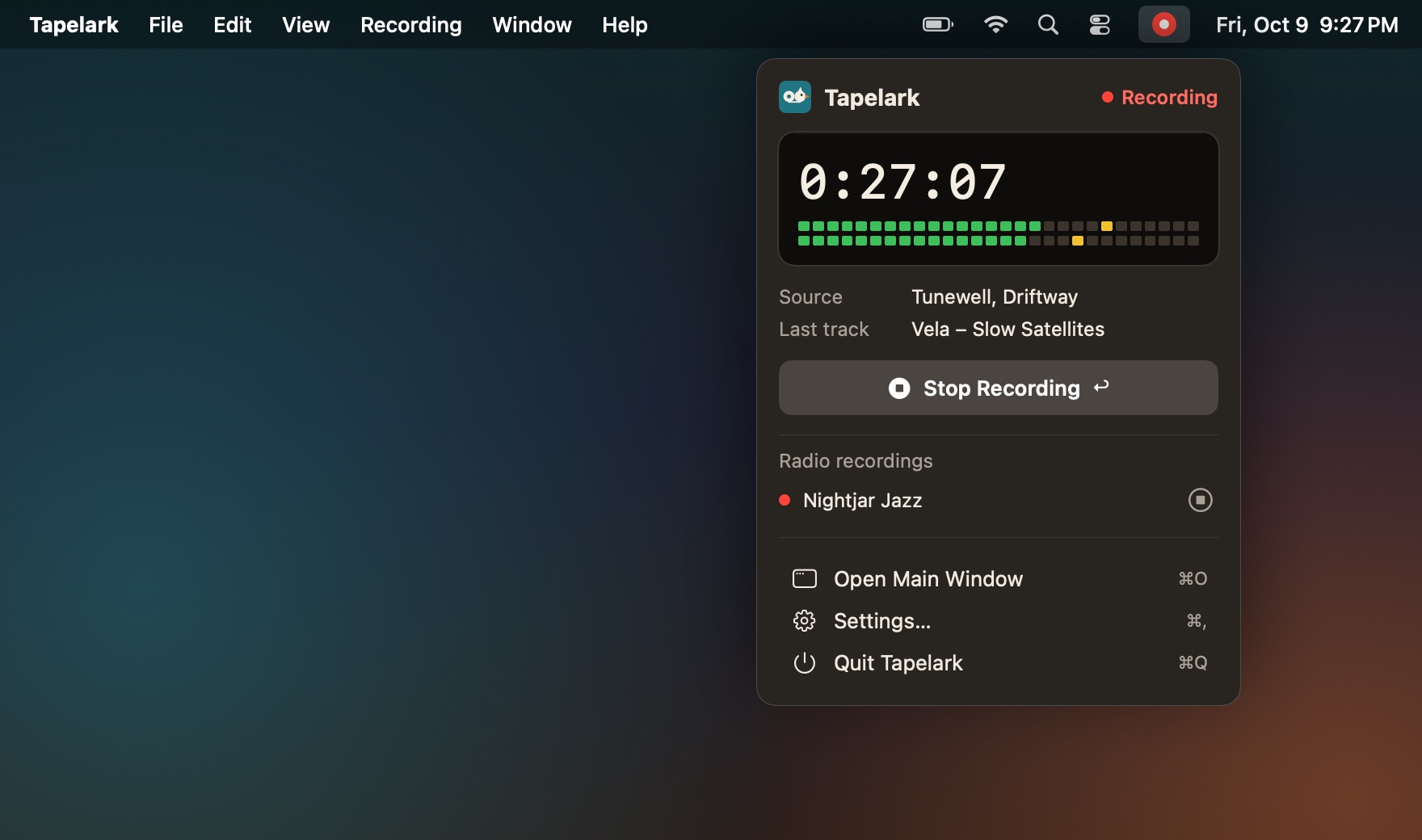
Menu barJPEG, also dark
App icon1024 × 1024 PNG, also SVG
Logo1200 × 520 PNG

Victor AntoficaJPEG
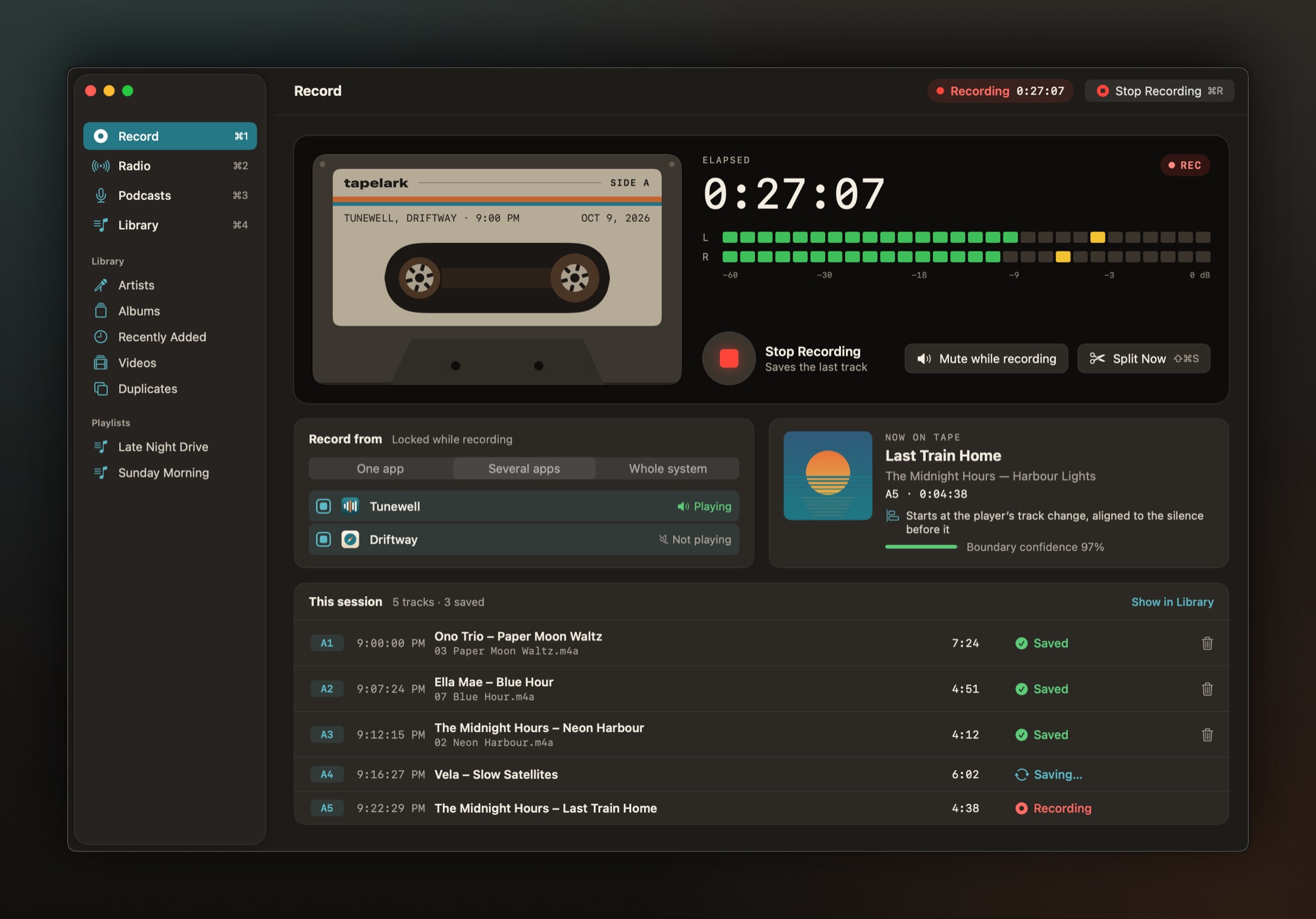

The app is shown in English; screenshots in German are on the German press release. More logos and colours: Press kit.